Showing posts with label Tutorials. Show all posts

Thursday, June 11, 2015

Android Tutorial Lesson 10 - Arena

What is the risk in blocking the Main thread when
performing a lengthy operation such as web access or
heavy computation? Application_Not_Responding
exception will be thrown which will crash and restart the
application.

Why is List View not recommended to have active
components?
Clicking on the active text box will pop up the
software keyboard but this will re size the list, removing
focus from the clicked element.
For senior employees
Beyond a certain level of experience, the job interview
questions cease to be "difference between abstract class
and interface", and focus more on testing your technical
acumen, collaboration and communication skills. A list of
such questions, typically asked during interviews for
senior positions is given below:
Explain the life cycle of an application development process
you worked on previously.
What the interviewer looks for is communication of
requirements, planning, modeling, construction and
deployment on the back end.
Here's a hypothetical project. Explain how you would go
about it.
They want to know how you would break your work down
into tasks and how many weeks for each task. I'm really
looking to find out about planning methods, their skill set
and how quickly they can execute.
How do you respond to requirement changes in the middle
of a cycle?
What type of methodology have you used in the past? What
are its drawbacks?
What are different techniques for prototyping an
application?
Similar question: Do you feel there is value in wireframing
an application? Why?
How do you manage conflicts in Web applications when
there are different people managing data?
Tell me something you learned from a team member in the
last year.
What software testing procedures have you used to
perform a QA?
Once the coding skills verified. Sample II
The Activity life cycle is must. Ask about the different
phases of Activity Life cycle. For example: when and how
the activity comes to foreground?
Check the knowledge on AndroidManifestfile, For
example:
Why do we need this file, What is the role of this
file in Android app dev
elopment.
· Different Kinds of Intents
· Ask about different Kinds of context
· Ask about different Storage Methods in android
· Kinds of Log debugger and Debugger Configuration
· How to debug the application on real device.
· How do you ensure that the app design will be consistent
across the different screen resolutions
· Thread concepts also plus points as we deal with the
treads more.

Android Tutorial Lesson 8 - Arena

What is the role of Android Market in compatibility?
Devices that are Android compatible may seek to license
the Android Market client software.
This allows them to
become part of the Android app ecosystem, by allowing
users to download developers' apps from a catalog shared
by all compatible devices.
This option isn't available to
devices that aren't compatible.
What kinds of devices can be Android compatible?
The Android software can be ported to a lot of different
kinds of devices, including some on which third-party apps
won't run properly.
The Android Compatibility Definition
Document (CDD) spells out the specific device
configurations that will be considered compatible.
For example, though the Android source code could be
ported to run on a phone that doesn't have a camera, the
CDD requires that in order to be compatible, all phones
must have a camera.
This allows developers to rely on a
consistent set of capabilities when writing their apps.
The CDD will evolve over time to reflect market realities.
For instance, the 1.6 CDD only allows cell phones, but the
2.1 CDD allows devices to omit telephony hardware,
allowing for non-phone devices such as tablet-style music
players to be compatible. As we make these changes, we
will also augment Android Market to allow developers to
retain control over where their apps are available.
To
continue the telephony example, an app that manages SMS
text messages would not be useful on a media player, so
Android Market allows the developer to restrict that app
exclusively to phone devices.
If my device is compatible, does it automatically have
access to Android Market and branding?
Android Market is a service operated by Google. Achieving
compatibility is a prerequisite for obtaining access to the
Android Market software and branding. Device
manufacturers should contact Google to obtain access to
Android Market.
If I am not a manufacturer, how can I get Android Market?
Android Market is only licensed to handset manufacturers
shipping devices.
For questions about specific cases,
contact android-partnerships@google.com .
How can I get access to the Google apps for Android, such
as Maps?
The Google apps for Android, such as YouTube, Google
Maps and Navigation, Gmail, and so on are Google
properties that are not part of Android, and are licensed
separately. Contact android-partnerships@google.com for
inquiries related to those apps.
Is compatibility mandatory?
No. The Android Compatibility Program is optional.
Since
the Android source code is open, anyone can use it to build
any kind of device. However, if a manufacturer wishes to
use the Android name with their product, or wants access
to Android Market, they must first demonstrate that the
device is compatible.
How much does compatibility certification cost?
There is no cost to obtain Android compatibility for a
device.
The Compatibility Test Suite is open-source and
available to anyone to use to test a device.
How long does compatibility take?
The process is automated. The Compatibility Test Suite
generates a report that can be provided to Google to verify
compatibility. Eventually we intend to provide self-service
tools to upload these reports to a public database.
Who determines what will be part of the compatibility
definition?
Since Google is responsible for the overall direction of
Android as a platform and product, Google maintains the
Compatibility Definition Document for each release. We
draft the CDD for a new Android version in consultation
with a number of OEMs, who provide input on its contents.
How long will each Android version be supported for new
devices?
Since Android's code is open-source, we can't prevent
someone from using an old version to launch a device.
Instead, Google chooses not to license the Android Market
client software for use on versions that are considered
obsolete. This allows anyone to continue to ship old
versions of Android, but those devices won't use the
Android name and will exist outside the Android apps
ecosystem, just as if they were non-compatible.
Can a device have a different user interface and still be
compatible?
The Android Compatibility Program focuses on whether a
device can run third-party applications.
The user interface
components shipped with a device (such as home screen,
dialer, color scheme, and so on) does not generally have
much effect on third-party apps. As such, device builders
are free to customize the user interface as much as they
like.
The Compatibility Definition Document does restrict the
degree to which OEMs may alter the system user interface
for areas that do impact third-party apps.

Android Tutorial Lesson 6 - Arena

What is involved in releasing the source code for a new
Android version?
Releasing the source code for a new version of the Android
platform is a significant process. First, the software gets
built into a system image for a device, and put through
various forms of certification, including government
regulatory certification for the regions the phones will be
deployed. It also goes through operator testing. This is an
important phase of the process, since it helps shake out a
lot of software bugs.
Once the release is approved by the regulators and
operators, the manufacturer begins mass producing
devices, and we turn to releasing the source code.
Simultaneous to mass production the Google team kicks
off several efforts to prepare the open source release.
These efforts include final API changes and documentation
(to reflect any changes that were made during qualification
testing, for example), preparing an SDK for the new version,
and launching the platform compatibility information.
Also included is a final legal sign-off to release the code
into open source.
Just as open source contributors are
required to sign a Contributors License Agreement attesting
to their IP ownership of their contribution, Google too must
verify that it is clear to make contributions.
Starting at the time mass production begins, the software
release process usually takes around a month, which often
roughly places source code releases around the same time
that the devices reach users.
How does the AOSP relate to the Android Compatibility
Program?
The Android Open-Source Project maintains the Android
software, and develops new versions. Since it's open-
source, this software can be used for any purpose,
including to ship devices that are not compatible with other
devices based on the same source.
The function of the Android Compatibility Program is to
define a baseline implementation of Android that is
compatible with third-party apps written by developers.
Devices that are "Android compatible" may participate in
the Android ecosystem, including Android Market; devices
that don't meet the compatibility requirements exist outside
that ecosystem.
In other words, the Android Compatibility Program is how
we separate "Android compatible devices" from devices
that merely run derivatives of the source code. We
welcome all uses of the Android source code, but only
Android compatible devices — as defined and tested by the
Android Compatibility Program — may participate in the
Android ecosystem.
How can I contribute to Android?
There are a number of ways you can contribute to Android.
You can report bugs, write apps for Android, or contribute
source code to the Android Open-Source Project.
There are some limits on the kinds of code contributions
we are willing or able to accept. For instance, someone
might want to contribute an alternative application API,
such as a full C++-based environment. We would decline
that contribution, since Android is focused on applications
that run in the Dalvik VM. Alternatively, we won't accept
contributions such as GPL or LGPL libraries that are
incompatible with our licensing goals.
We encourage those interested in contributing source code
to contact us via the AOSP Community page prior to
beginning any work. You can find more information on this
topic at the Getting Involved page.
How do I become an Android committer?
The Android Open Source Project doesn't really have a
notion of a "committer". All contributions — including those
authored by Google employees — go through a web-based
system known as "gerrit" that's part of the Android
engineering process. This system works in tandem with the
git source code management system to cleanly manage
source code contributions.
Once submitted, changes need to be accepted by a
designated Approver. Approvers are typically Google
employees, but the same approvers are responsible for all
submissions, regardless of origin.
You can find more information on this topic at the
Submitting Patches page.
Compatibility
What does "compatibility"mean?
We define an "Android compatible" device as one that can
run any application written by third-party developers using
the Android SDK and NDK. We use this as a filter to
separate devices that can participate in the Android app
ecosystem, and those that cannot. Devices that are
properly compatible can seek approval to use the Android
trademark.
Devices that are not compatible are merely
derived from the Android source code and may not use the
Android trademark.
In other words, compatibility is a prerequisite to participate
in the Android apps ecosystem. Anyone is welcome to use
the Android source code, but if the device isn't compatible,
it's not considered part of the Android ecosystem.

Lesson 4 - How is the Android Software Developed

How is the Android software developed?
Each platform version of Android (such as 1.5, 1.6, and so
on) has a corresponding branch in the open-source tree. At
any given moment, the most recent such branch will be
considered the "current stable" branch version. This
current stable branch is the one that manufacturers port to
their devices. This branch is kept suitable for release at all
times.
Simultaneously,there is also a "current experimental"
branch, which is where speculative contributions, such as
large next-generationfeatures, are developed. Bug fixes
and other contributions can be included in the current
stable branch from the experimental branch as
appropriate.
Finally, Google works on the next version of the Android
platform in tandem with developing a flagship device. This
branch pulls in changes from the experimental and stable
branches as appropriate.
You can find more information on this topic at our
Branches and Releases.
Why are parts of Android developed in private?
It typically takes over a year to bring a device to market,
but of course device manufacturers want to ship the latest
software they can. Developers, meanwhile, don't want to
have to constantly track new versions of the platform when
writing apps. Both groups experience a tension between
shipping products, and not wanting to fall behind.
To address this, some parts of the next version of Android
including the core platform APIs are developed in a private
branch. These APIs constitute the next version of Android.
Our aim is to focus attention on the current stable version
of the Android source code, while we create the next
version of the platform as driven by flagship Android
devices. This allows developers and OEMs to focus on a
single version without having to track unfinished future
work just to keep up. Other parts of the Android system
that aren't related to application compatibility are
developed in the open, however. It's our intention to move
more of these parts to open development over time.
When are source code releases made?
When they are ready. Some parts of Android are developed
in the open, so that source code is always available.
Other
parts are developed first in a private tree, and that source
code is released when the next platform version is ready.
In some releases, core platform APIs will be ready far
enough in advance that we can push the source code out
for an early look in advance of the device's release;
however in others, this isn't possible. In all cases, we
release the platform source when we feel the version has
stabilized enough, and when the development process
permits. Releasing the source code is a fairly complex
process.

Android Tutorial Lesson 4 - Arena

How to select more than one option from list in android
xml file?
Give an example.
Specify android id, layout height and width as depicted in
the following example.
What languages does Android support for application
development?
Android applications are written using the Java
programming language.
Describe Android Application Architecture.
Android Application Architecture has the following
components:
• Services – like Network Operation
• Intent - To perform inter-communication between
activities or services
• Resource Externalization- such as strings and graphics
• Notification signaling users - light, sound, icon,
notification, dialog etc.
• Content Providers - They share data between applications
Common Tricky questions
Remember that the GUI layer doesn't request data
directly from the web; data is always loaded from a local
database.
The service layer periodically updates the local
database.
What is the risk in blocking the Main thread when
performing a lengthy operation such as web access or
heavy computation? Application_Not_Responding
exception will be thrown which will crash and restart the
application.
Why is List View not recommended to have active
components? Clicking on the active text box will pop up the
software keyboard but this will resize the list, removing
focus from the clicked element.
Open Source
What is the Android Open Source Project?
We use the phrase "Android Open Source Project" or
"AOSP" to refer to the people, the processes, and the
source code that make up Android.
The people oversee the project and develop the actual
source code.
The processes refer to the tools and
procedures we use to manage the development of the
software.
The net result is the source code that you can
use to build cell phone and other devices.
Why did we open the Android source code?
Google started the Android project in response to our own
experiences launching mobile apps. We wanted to make
sure that there would always be an open platform available
for carriers, OEMs, and developers to use to make their
innovative ideas a reality.
We also wanted to make sure
that there was no central point of failure, so that no single
industry player could restrict or control the innovations of
any other.
The single most important goal of the Android
Open-Source Project (AOSP) is to make sure that the open-
source Android software is implemented as widely and
compatibly as possible, to everyone's benefit.
You can find more information on this topic at our Project
Philosophy page.
What kind of open-source project is Android?
Google oversees the development of the core Android
open-source platform, and works to create robust
developer and user communities. For the most part the
Android source code is licensed under the permissive
Apache Software License 2.0, rather than a "copyleft"
license.
The main reason for this is because our most
important goal is widespread adoption of the software, and
we believe that the ASL2.0 license best achieves that goal.
You can find more information on this topic at our Project
Philosophy and Licensing pages.
Why is Google in charge of Android?
Launching a software platform is complex. Openness is
vital to the long-term success of a platform, since
openness is required to attract investment from developers
and ensure a level playing field. However, the platform
itself must also be a compelling product to end users.
That's why Google has committed the professional
engineering resources necessary to ensure that Android is
a fully competitive software platform. Google treats the
Android project as a full-scale product development
operation, and strikes the business deals necessary to
make sure that great devices running Android actually
make it to market.
By making sure that Android is a success with end users,
we help ensure the vitality of Android as a platform, and as
an open-source project. After all, who wants the source
code to an unsuccessful product?
Google's goal is to ensure a successful ecosystem around
Android, but no one is required to participate, of course.
We
opened the Android source code so anyone can modify and
distribute the software to meet their own needs.
What is Google's overall strategy for Android product
development?
We focus on releasing great devices into a competitive
marketplace, and then incorporate the innovations and
enhancements we made into the core platform, as the next
version.
In practice, this means that the Android engineering team
typically focuses on a small number of "flagship" devices,
and develops the next version of the Android software to
support those product launches. These flagship devices
absorb much of the product risk and blaze a trail for the
broad OEM community, who follow up with many more
devices that take advantage of the new features.
In this
way, we make sure that the Android platform evolves
according to the actual needs of real-world devices.

Android Tutorial Lesson 3

What is a Theme ?
A set of properties (text size, background color, and so on)
bundled together to define various default display settings.
Android provides a few standard themes, listed in R.style
(starting with "Theme_").
What is an URIs?
Android uses URI strings both for requesting data (e.g., a
list of contacts) and for requesting actions (e.g., opening a
Web page in a browser). Both are valid URI strings, but
have different values. All requests for data must start with
the string "content://". Action strings are valid URIs that
can be handled appropriately by applications on the device;
for example, a URI starting with "http://" will be handled by
the browser.
Can I write code for Android using C/C++?
Yes, but need to use NDK
Android applications are written using the Java
programming language. Android includes a set of core
libraries that provides most of the functionality available in
the core libraries of the Java programming language.
Every Android application runs in its own process, with its
own instance of the Dalvik virtual machine. Dalvik has been
written so that a device can run multiple VMs efficiently.
The Dalvik VM executes files in the Dalvik Executable (.dex)
format which is optimized for minimal memory footprint.
The VM is register-based,and runs classes compiled by a
Java language compiler that have been transformed into
the .dex format by the included "dx" tool.
Android only supports applications written using the Java
programming language at this time.
What is an action?
A description of something that an Intent sender desires.
What is activity?
A single screen in an application, with supporting Java
code.
What is intent?
A class (Intent) describes what a caller desires to do. The
caller sends this intent to Android's intent resolver, which
finds the most suitable activity for the intent. E.g. opening a
PDF file is an intent, and the Adobe Reader is the suitable
activity for this intent.
How is nine-patch image different from a regular bitmap?
It is a resizable bitmap resource that can be used for
backgrounds or other images on the device. The NinePatch
class permits drawing a bitmap in nine sections.
The four
corners are unscaled; the four edges are scaled in one axis,
and the middle is scaled in both axes.
What languages does Android support for application
development?
Android applications are written using the Java
programming language.
What is a resource?
A user-supplied XML, bitmap, or other file, injected into the
application build process, which can later be loaded from
code.
How will you record a phone call in Android? How to get a
handle on Audio Stream for a call in Android?
Permissions.PROCESS_OUTGOING_CALLS: Allows an
application to monitor, modify, or abort outgoing calls.
What's the difference between file, class and activity in
android?
File - It is a block of arbitrary information, or resource for
storing information. It can be of any type.
Class - Its a compiled form of .Java file . Android finally
used this .class files to produce an executable apk
Activity - An activity is the equivalent of a Frame/Window in
GUI toolkits.
It is not a file or a file type it is just a class
that can be extended in Android for loading UI elements on
view.
What is a Sticky Intent?
sendStickyBroadcast() performs a sendBroadcast (Intent)
that is "sticky," i.e. the Intent you are sending stays around
after the broadcast is complete, so that others can quickly
retrieve that data through the return value of
registerReceiver (BroadcastReceiver, IntentFilter).
In all
other ways, this behaves the same as sendBroadcast
(Intent).
One example of a sticky broadcast sent via the operating
system is ACTION_BATTERY_CHANGED. When you call
registerReceiver() for that action -- even with a null
BroadcastReceiver -- you get the Intent that was last
broadcast for that action. Hence, you can use this to find
the state of the battery without necessarily registering for
all future state changes in the battery.
Does Android support the Bluetooth serial port profile?
Yes.
Can an application be started on powerup?
Yes.
How to Remove Desktop icons and Widgets
A. Press and Hold the icon or widget.
The phone will vibrate
and on the bottom of the phone you will see anoption to
remove. While still holding the icon or widget drag it to the
remove button. Once remove turns red drop the item and it
is gone
Describe a real time scenario where android can be used?
Imagine a situation that you are in a country where no one
understands the language you speak and you can not read
or write. However, you have mobile phone with you.
With a mobile phone with android, the Google translator
translates the data of one language into another language
by using XMPP to transmit data.
You can type the message
in English and select the language which is understood by
the citizens of the country in order to reach the message to
the citizens.

Wednesday, April 8, 2015

HOW TO INSTALL MTK DRIVER USING CMD – PROBLEM SOLVED


I have been struggling to unbrick Alcatel One Touch 918, for three days but only got it right on the fourth day. It's been quite tiresome as my time having been wasted only to realize the wrongly installed drivers on my computer.
Here is the step by step procedure on how to go about it:
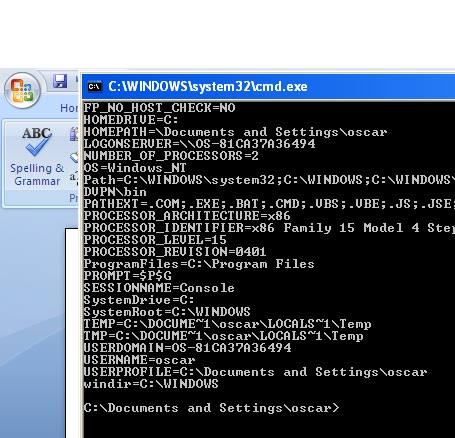
Start menu, type cmd in search programs and files
  1. cmd.exe will appear in the programs list right-click on cmd.exe and choose Run as Administrator
  2. In the command session type set devmgr_show_nonpresent_devices=1 and press enter
  3. In the command session type devmgmt.msc and press enter
  4. The Device Manager console will appear
  5. In Device Manager click on View and choose Show Hidden Devices
  6. If there is list entry Ports (COM & LPT) expand it and note the following change
  7. If there is an entry MediaTek PreLoader USB VCOM Port (COMn) then the driver is already installed
  8. Right click on the entry and choose Uninstall
  9. The uninstall dialogue box appears
  10. Check Delete the driver software for this device and click OK
  11. The MediaTek device will be uninstalled
  12. If this was the ONLY port listed, the list entry Ports (COM & LPT) will also disappear (DON'T PANIC)
  13. Ensure your CUBE is POWERED OFF (wait for vibration to show it is completely off)
  14. Attach the powered off cube to the computer via USB
  15. The computer will start to install the drivers, but will probably report Device Driver software was not successfully installed.
  16. Click on the balloon message and a message box will say MT65xx Preloader No Driver Found
  17. Return to the Device Manager
  18. There should be a list entry Other Devices - expand it.
    1. Find the child list entry MT65xx Preloader
    2. Right click and choose Update Software Driver...
    3. Update Driver Software dialogue is displayed
    4. Choose Browse my computer for driver software
    5. In the Browse for driver software dialogue click browse and navigate to the download location where you extracted the ROM's zip file content.
    6. Navigate to the sub-folder containing the *.inf files.
    7. Click Next
    8. Windows may prompt saying Windows can't verify the publish of this driver software
      1. Choose Install this driver software anyway
    9. ​Windows should say Installing Driver Software
    10. Windows will then say Windows has finished installing the driver software for this device: MediaTek PreLoader USB VCOM Port
    11. Unplug and replug the CUBE
    12. Windows will start installing the driver instance
      1. Sometimes the install will fail
      2. Click the balloon message and message box will say Install failed - device unplugged
      3. Unplug and replug the CUBE and things should be OK
  19. Return to the Device Manager
  20. There should now be a list entry Ports (COM & LPT)
  21. Expand this item and it should contain MediaTek PreLoader USB VCOM Port (COMn)
Be patient sine everything will go well. Don’t lose that precious phone of yours opting to buy a new one. No.
Bless!